
Delete in the CashTap app
Use these steps on the device where CashTap is installed. Keep your authenticator app ready — you will need a one-time code.
-
Open Settings
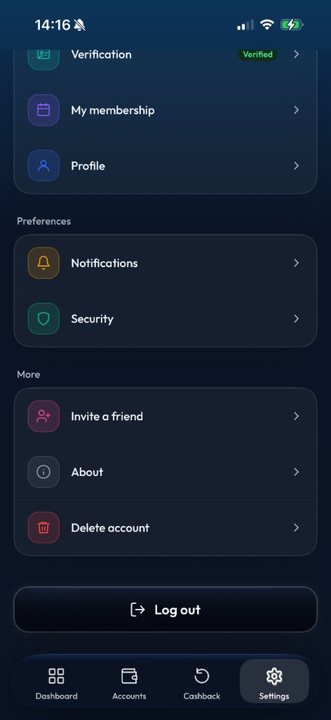
In the CashTap app, go to the Settings tab at the bottom of the screen. Scroll to the More section.
-
Tap Delete account
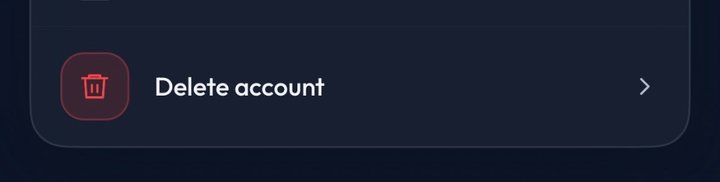
Select Delete account (red trash icon) to open the confirmation screen.
-
Confirm with DELETE
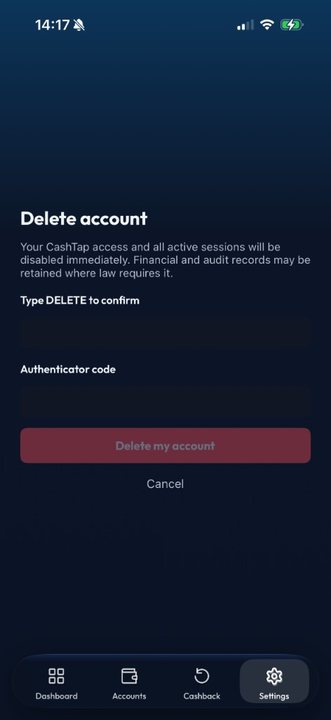
Type DELETE in the confirmation field, then enter your authenticator code.
-
Delete my account
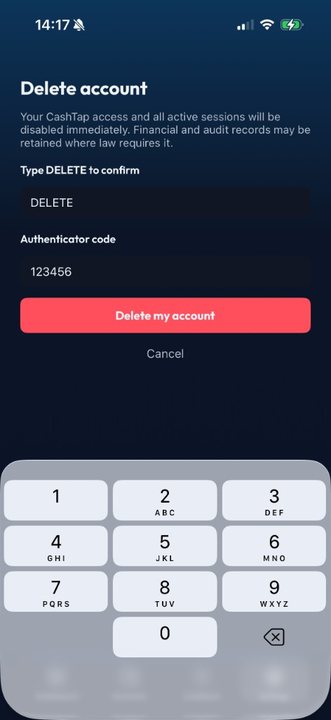
When both fields are filled, tap Delete my account. Or tap Cancel to go back without deleting.


If you cannot find these options or need help deleting your account, email support with a request to delete your account.
[email protected] [email protected]What happens to your data
When you delete your account, we remove or anonymise personal data that is no longer needed to operate CashTap. Some information may be retained where required by law — for example AML/KYC, accounting, or dispute records — for limited periods described in our Privacy Policy. Closure is also subject to compliance checks (for example outstanding balances, open disputes, or legal holds).
Read the Privacy Policy · More in the FAQ
Tip: withdraw any remaining balance and freeze or cancel cards before you delete the account, so you do not leave funds or open card products behind.